

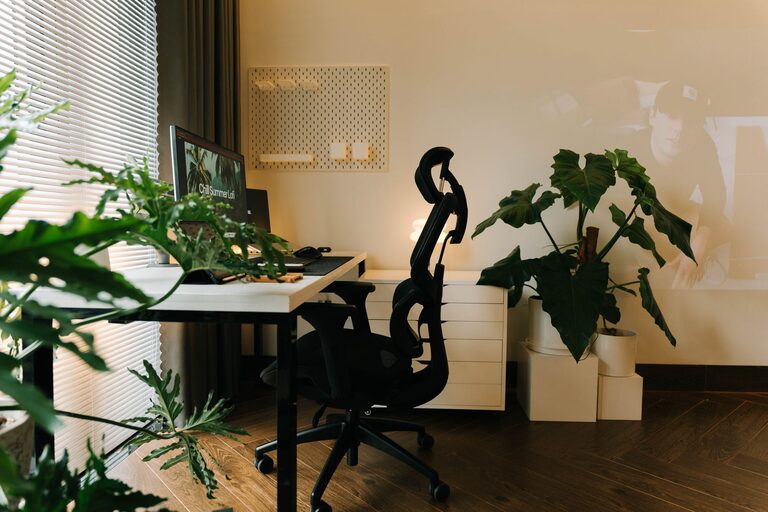
Creating a home office that is both cozy and productive can greatly enhance your work-from-home experience. A well-designed workspace helps improve focus, reduces stress, and makes your workflow more efficient. Whether you’re starting from scratch or refining an existing setup, these tips will guide you in building a home office space that promotes comfort and productivity.
1. Choose the Right Location
Consider Natural Light
Placing your office near a window brings in natural light, which can boost mood and energy levels. If natural light is limited, invest in good-quality artificial lighting that mimics daylight to reduce eye strain.
Minimize Distractions
Select a quiet corner or room where interruptions are minimal. If you share your home, communicate your working hours to others to help maintain focus.
2. Invest in Comfortable Furniture
Ergonomic Chair
A supportive chair that encourages good posture is key to avoiding back and neck pain. Look for adjustable height, lumbar support, and comfortable cushioning.
Functional Desk
Choose a desk with enough surface area to hold your computer, notebooks, and other essentials. A height that allows your elbows to rest at a 90-degree angle reduces physical strain.
3. Organize Efficiently
Declutter Regularly
Keep your workspace tidy by removing unnecessary items. Use storage bins, shelves, and drawer organizers to keep supplies within reach but out of the way.
Manage Cables
Use cable organizers or clips to prevent cords from tangling. A clean setup not only looks better but helps avoid distractions.
4. Personalize Your Space
Add Cozy Elements
Incorporate soft textiles like a throw blanket or comfortable cushions that make the space inviting without being distracting.
Decorate Thoughtfully
Plants, artwork, or inspirational quotes can create a pleasant atmosphere. Choose items that inspire you and reflect your personality.
5. Set Up Technology Properly
Reliable Internet Connection
Ensure your internet is fast and stable to maintain productivity, especially for video calls and large file downloads.
Quality Equipment
Use a good quality keyboard, mouse, and monitor to reduce strain and improve efficiency. Consider using noise-canceling headphones if you work in a noisy environment.
6. Optimize Lighting for Comfort and Productivity
Layer Your Lighting
Combine ambient, task, and accent lighting to create a balanced environment that prevents eye fatigue.
Adjustable Lighting
Use dimmable lamps so you can control the brightness throughout the day depending on the task.
7. Maintain a Healthy Environment
Air Quality
Improve air circulation by opening windows regularly or using an air purifier. Plants can also help purify the air naturally.
Temperature Control
Keep the room at a comfortable temperature. Use fans, heaters, or air conditioning as needed to stay comfortable during work hours.
8. Create a Routine and Dedicated Work Hours
Define Your Schedule
Having a set routine helps you switch into “work mode,” enhancing focus and productivity.
Incorporate Breaks
Step away from your desk regularly for short breaks. This helps reduce eye strain and refreshes your mind.
9. Use Organizational Tools
Task Lists and Calendars
Utilize planners or digital tools to organize tasks and deadlines. Staying organized decreases stress and improves time management.
Storage Solutions
Label containers and files to quickly find what you need, saving time and reducing clutter.
Final Thoughts
Designing a cozy and productive home office is about balancing comfort and function. By focusing on good lighting, ergonomic furniture, effective organization, and a personalized touch, you can create a space that supports your best work. Remember, the goal is to make a space that feels welcoming while helping you stay focused and energized throughout your day. Happy decorating!