

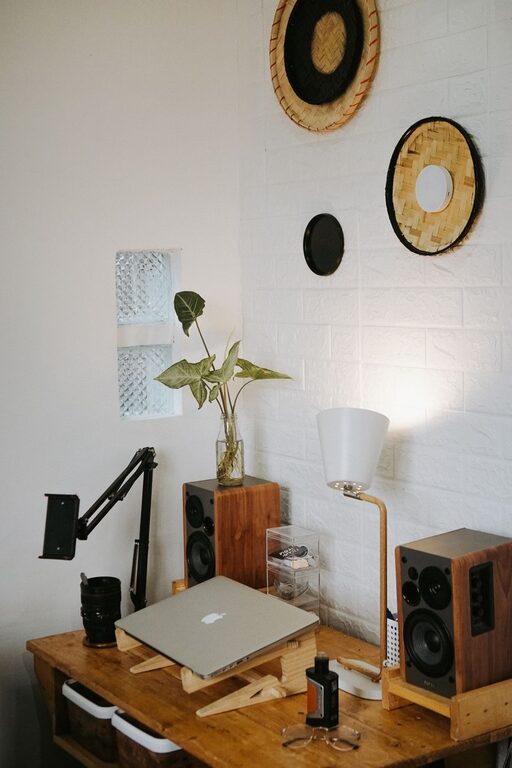
Creating a relaxing home workspace is more than just a trend—it’s essential for maintaining productivity and comfort while working from home. Whether you’re working full-time remotely or occasionally bringing work tasks into your living space, how your workspace looks and feels can make a big difference in how effective and enjoyable your workday is.
In this post, we’ll explore practical tips to help you create a home workspace that promotes relaxation and focus, making it easier to stay on task while feeling comfortable throughout the day.
Why a Relaxing Workspace Matters
A cluttered or uncomfortable workspace can lead to distractions, stress, and fatigue. Conversely, a well-designed, calming environment can help:
– Reduce anxiety and mental fatigue.
– Improve concentration and efficiency.
– Boost creativity and problem-solving.
– Create clear boundaries between work and personal life.
Having a dedicated space that feels inviting and organized supports a healthier work routine.
Choose the Right Location
One of the first steps is deciding where in your home you want your workspace to be. Consider these factors:
– Natural Light: Try to choose a spot with plenty of natural light. It can elevate your mood and help regulate your body clock.
– Quiet Area: Select a space away from household noise and distractions.
– Temperature and Ventilation: Pick a place where you can control the temperature and air flow for comfort.
– Privacy: If possible, find a spot where you can have privacy during meetings or focused work sessions.
If space is limited, even a corner of a room can work well if organized thoughtfully.
Invest in Comfortable Furniture
Comfort starts with good furniture. Here’s what to consider:
– Ergonomic Chair: Choose a chair with good lumbar support and adjustable height to reduce strain on your back and shoulders.
– Desk Options: Select a desk that fits your space and offers enough surface area for your computer, notepads, and other essentials.
– Standing Desk: Consider a sit-stand desk or an adjustable desk converter to vary your posture throughout the day.
Taking care of your posture is key to avoiding discomfort that can distract you.
Control Lighting for Ease and Focus
Lighting can affect both how easily you work and how relaxed you feel.
– Natural Light First: Position your desk near a window if possible, but avoid direct glare on screens.
– Task Lighting: Use adjustable desk lamps to focus light where you need it.
– Warm Light for Relaxation: Avoid harsh fluorescent lights; instead, opt for warm, soft lighting during your workday.
Good lighting reduces eye strain and creates a more inviting atmosphere.
Declutter and Organize Your Space
A cluttered desk can negatively impact your ability to focus.
– Minimal Items on Desk: Keep only the essentials within reach; store other items away.
– Use Organizers: Drawer organizers, file holders, and desk trays help keep paperwork and tools neat.
– Cable Management: Use clips, ties, or cable boxes to keep cords tidy and out of the way.
An organized space feels calming and helps prevent distractions.
Add Elements that Calm and Inspire
Personal touches can make your workspace more enjoyable and relaxing.
– Plants: Adding greenery improves air quality and has a calming effect.
– Artwork or Photos: Use images that inspire or comfort, but avoid overly busy or distracting visuals.
– Scent: Consider a subtle diffuser with calming scents like lavender or eucalyptus, but be mindful of sensitivities.
– Music or Ambient Sound: Soft background music or nature sounds can help some people focus and relax.
Make sure these elements support your productivity without becoming distractions.
Maintain Good Air Quality
Fresh air can improve concentration and energy levels.
– Ventilation: Open windows when possible or use fans to circulate air.
– Air Purifiers: Consider a small air purifier to reduce allergens and dust.
– Humidity: Maintain comfortable humidity levels to avoid dryness or stuffiness.
Breathing clean air contributes to overall comfort during long work hours.
Establish Routines and Boundaries
A relaxing workspace is only part of a productive setup. Your habits also count.
– Set Regular Breaks: Step away from your desk every hour to stretch or rest your eyes.
– Start and End Rituals: Create simple routines to begin and conclude your workday in your space.
– Limit Non-Work Items: Avoid mixing entertainment or chores with your desk space to maintain focus.
– Communicate Boundaries: If you share your home, make sure others know when you are working.
These practices help maintain the mental separation needed for work-life balance.
Keep Technology User-Friendly and Clutter-Free
Technology is essential but can cause frustration if it’s not well organized.
– Cable Management: As mentioned, keep your charger and equipment cords under control.
– Monitor Stands: Elevate screens to eye level to prevent neck strain.
– Wireless Devices: Use wireless keyboards and mice to reduce cable clutter.
– Regular Updates: Maintain your software and hardware so technical issues don’t disrupt your workflow.
Smooth-running technology keeps your workday flowing stress-free.
Final Thoughts
Designing a relaxing home workspace is an investment that pays off in comfort and productivity. By thoughtfully selecting your location, furniture, lighting, and organization, you create an environment that supports both focus and wellbeing. Remember, the goal is to build a space where you feel motivated but also at ease—so you can work your best while taking good care of yourself.
Start small by making one or two changes today, and gradually customize your workspace to fit your needs and preferences. Your ideal home office waiting for you to make it your own!